Discussion
Loading...

Post

Log in
  • Sign up
  • About
  • Code of conduct
  • Privacy
  • Users
  • Instances
  • About Bonfire
KDE
KDE
@kde@floss.social  ·  activity timestamp 5 days ago

Plasma 6.6 is now live!

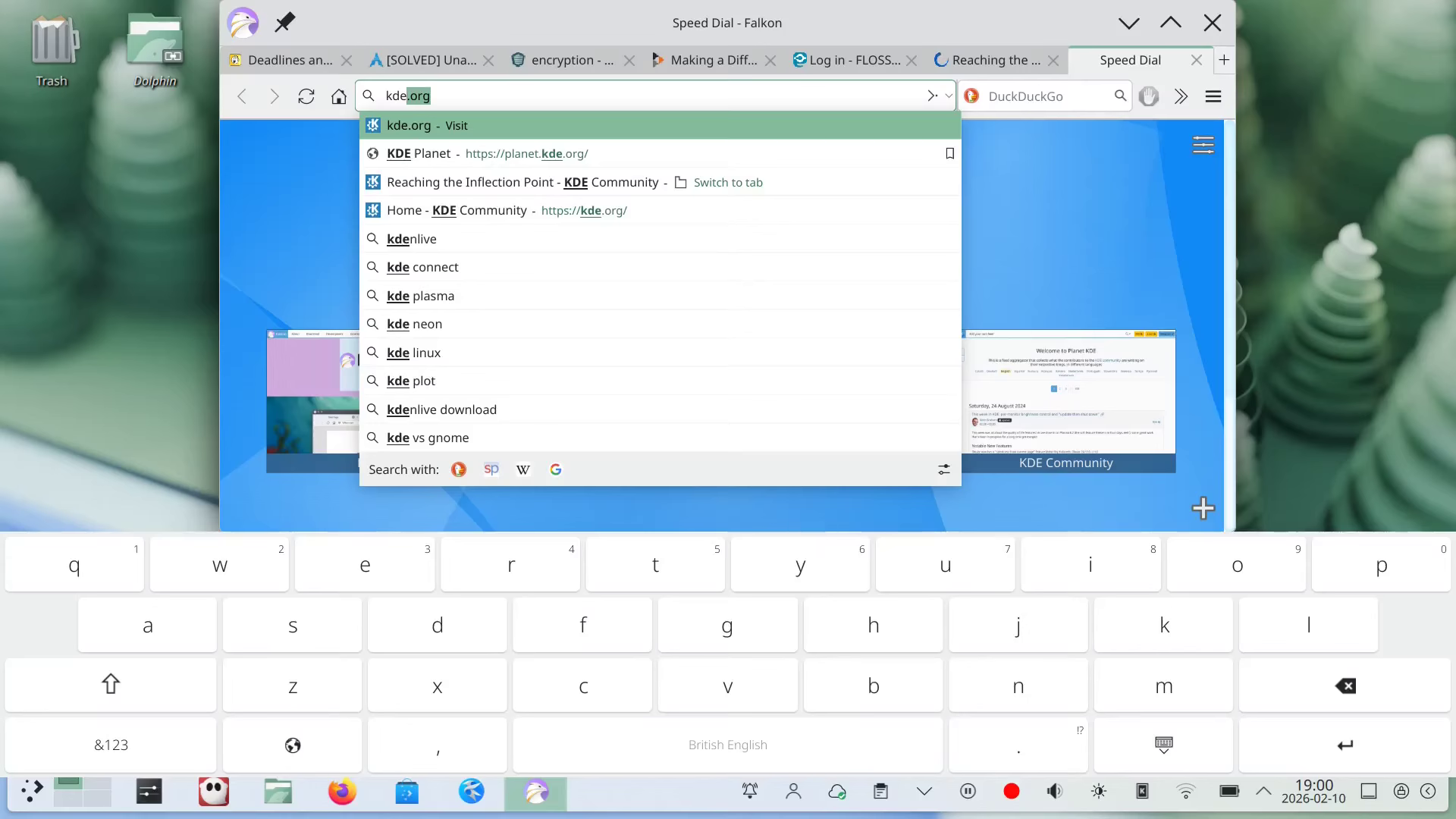
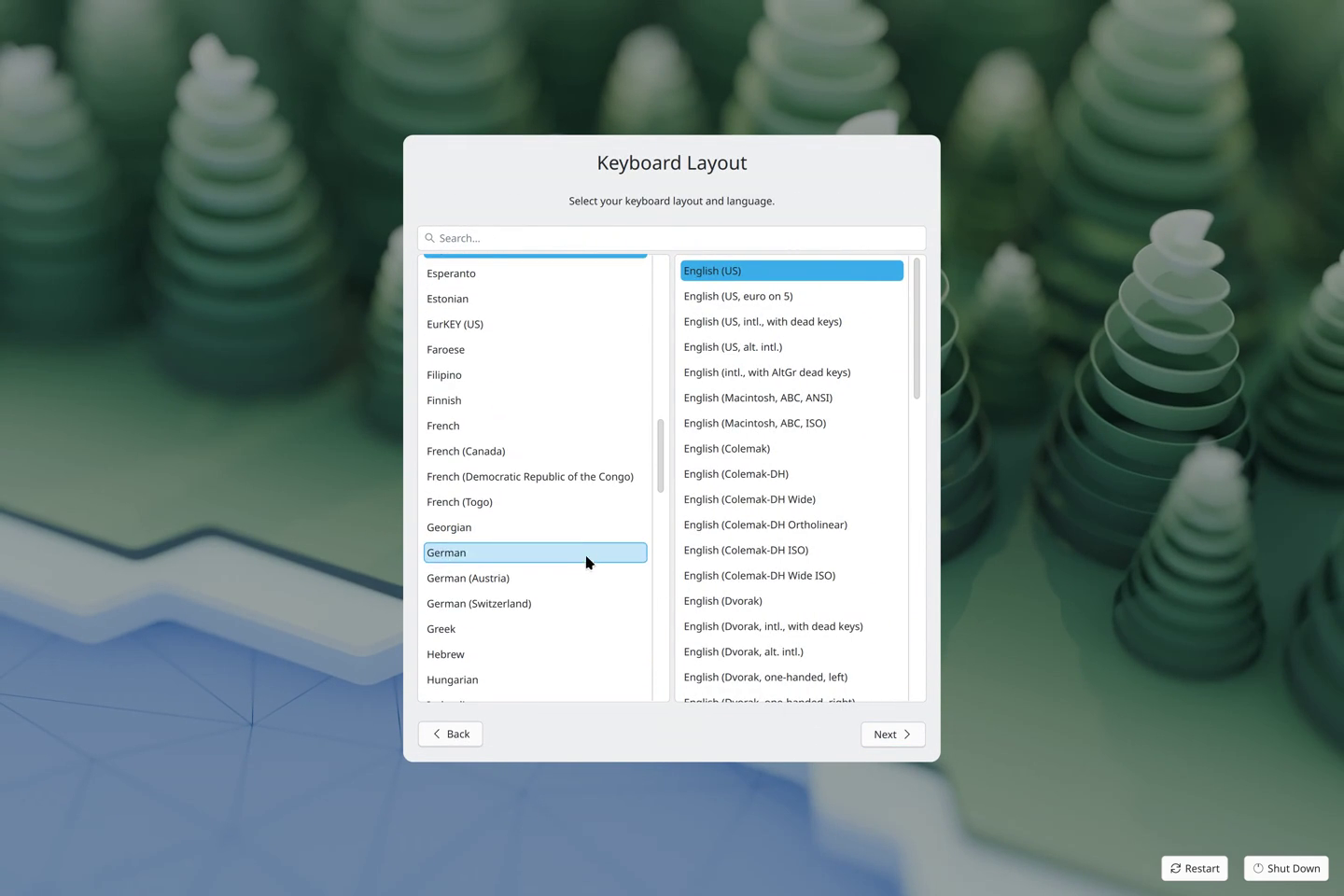
In Plasma 6.6, Spectacle can read texts from screenshots; we trial-run our very own on-screen keyboard for touchscreens; and we have a new first-time wizard that let's users configure their passwords, timezones, keyboard and networks, on preinstalled systems; among many, many more marvelous things.

https://kde.org/announcements/plasma/6/6.6.0/

#desktop #Plasma6 #FreeSoftware #OpenSource

3 media
A screenshot from a touch-enabeld device, showing the on-screen keyboard.
A phase in the the first-time wizard showing a user selecting their keyboard layout.
Your browser does not support the video tag.
GIF
GIF
Open
GIF

Plasma 6.6

Plasma 6.6 is all about making your life as easy as possible without sacrificing any of the flexibility
  • Copy link
  • Flag this post
  • Block
KDE
KDE
@kde@floss.social replied  ·  activity timestamp 5 days ago

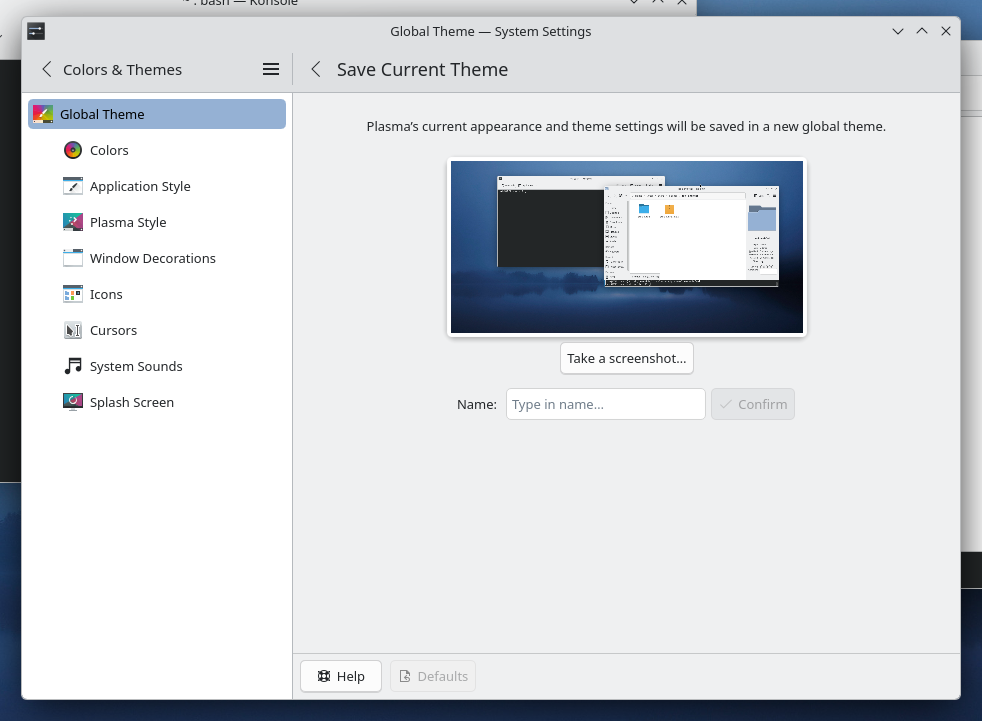
Also don't forget the new feature that allows you to turn whatever modifications you have done to the looks of your desktop into a global theme.

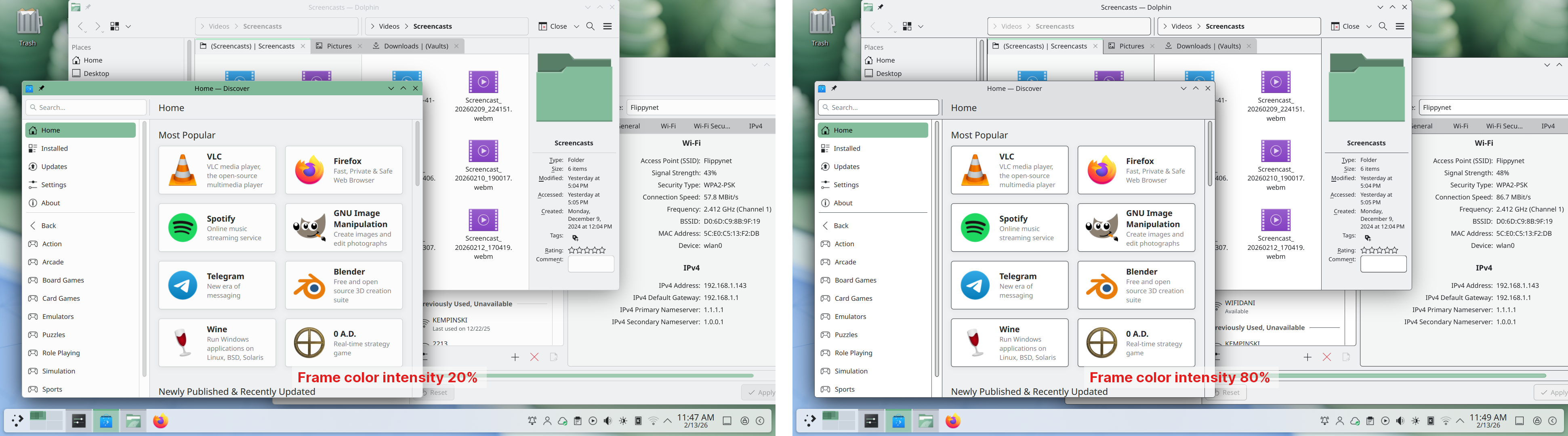
Or how you can change the intensity of a window's frames; or...

So much to pick from

https://kde.org/announcements/plasma/6/6.6.0/

2 media
Shows Plasma's System Setting and how you can create a Global Theme with one click.
This screenshot shows a before and after of some windows on the Plasma desktop. The before shows the windows with a frame intensity of 20% (default) and the after with a frame intensity of 80%.

Plasma 6.6

Plasma 6.6 is all about making your life as easy as possible without sacrificing any of the flexibility
  • Copy link
  • Flag this comment
  • Block

Bonfire social

This is a bonfire demo instance for testing purposes

Bonfire social: About · Code of conduct · Privacy · Users · Instances
Bonfire social · 1.0.1 no JS en
Automatic federation enabled
Log in Create account
  • Explore
  • About
  • Members
  • Code of Conduct